CAD & decision
Import supported CAD, define datums, tolerances and the acceptance decision.

CAD → PROBE → REPORT
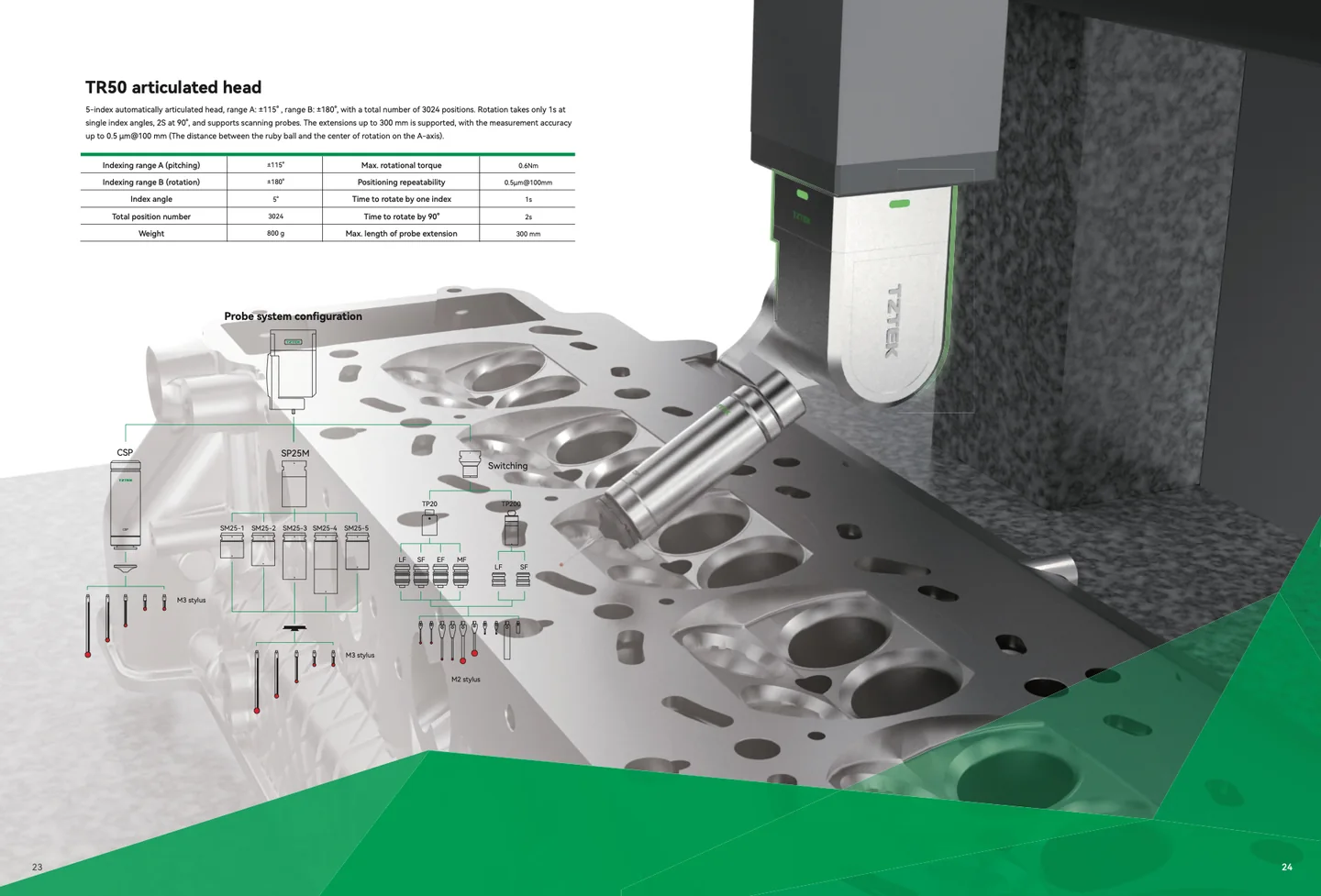
Move from CAD and fixturing to probe access, collision control, touch-trigger or scanning strategy, reporting and MES handoff.
Import supported CAD, define datums, tolerances and the acceptance decision.
Stabilise the part and review feature access before programming.
Select touch-trigger or scanning only where feature density and form require it.
Simulate paths, head angles, stylus reach and clearance.
Execute point measurement or continuous scan under controlled conditions.
Release traceable outputs such as PDF, Excel or CSV and define any MES handoff.
PROBE EXPLORER
Application-screening result only—not a final specification, quotation or performance guarantee.